


In industrial machine vision, autonomous driving perception, and smart camera applications, image transmission stability and system integration efficiency have become critical metrics. With its high compute density and rich peripheral interfaces, the D-Robotics RDK X5 platform has become a mainstream development platform for robotics and industrial automation, providing a solid foundation for rapidly building vision systems.
Built around the Maxim MAX9296 industrial-grade dual-channel GMSL deserializer, ALG-TECH has launched a new generation of GMSL image adapter kit. The kit delivers stable, lossless connection between GMSL camera signals and the MIPI CSI-2 interface on the RDK X5 platform, and supports 4-to-1, 2-to-1, and other output configurations. It adapts flexibly to monocular, stereo, and multi-camera acquisition setups, making it suitable for industrial vision development, research projects, and volume production alike.
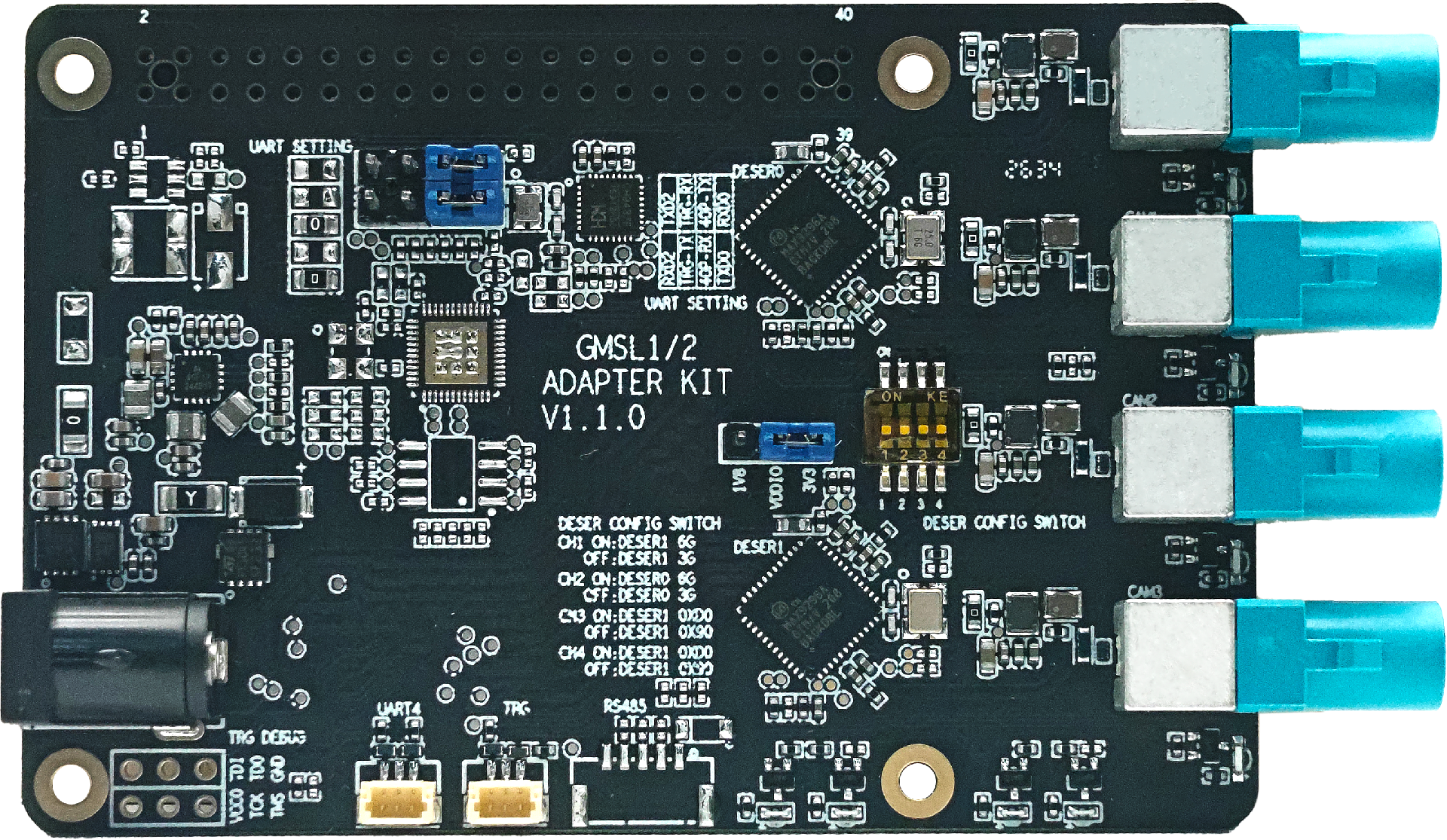
Compared with the previous generation, the new kit further reduces the difficulty and cost of integrating GMSL cameras on the RDK X5 platform. The following sections walk through the complete deployment flow, from hardware connection to test verification.
Hardware Connection
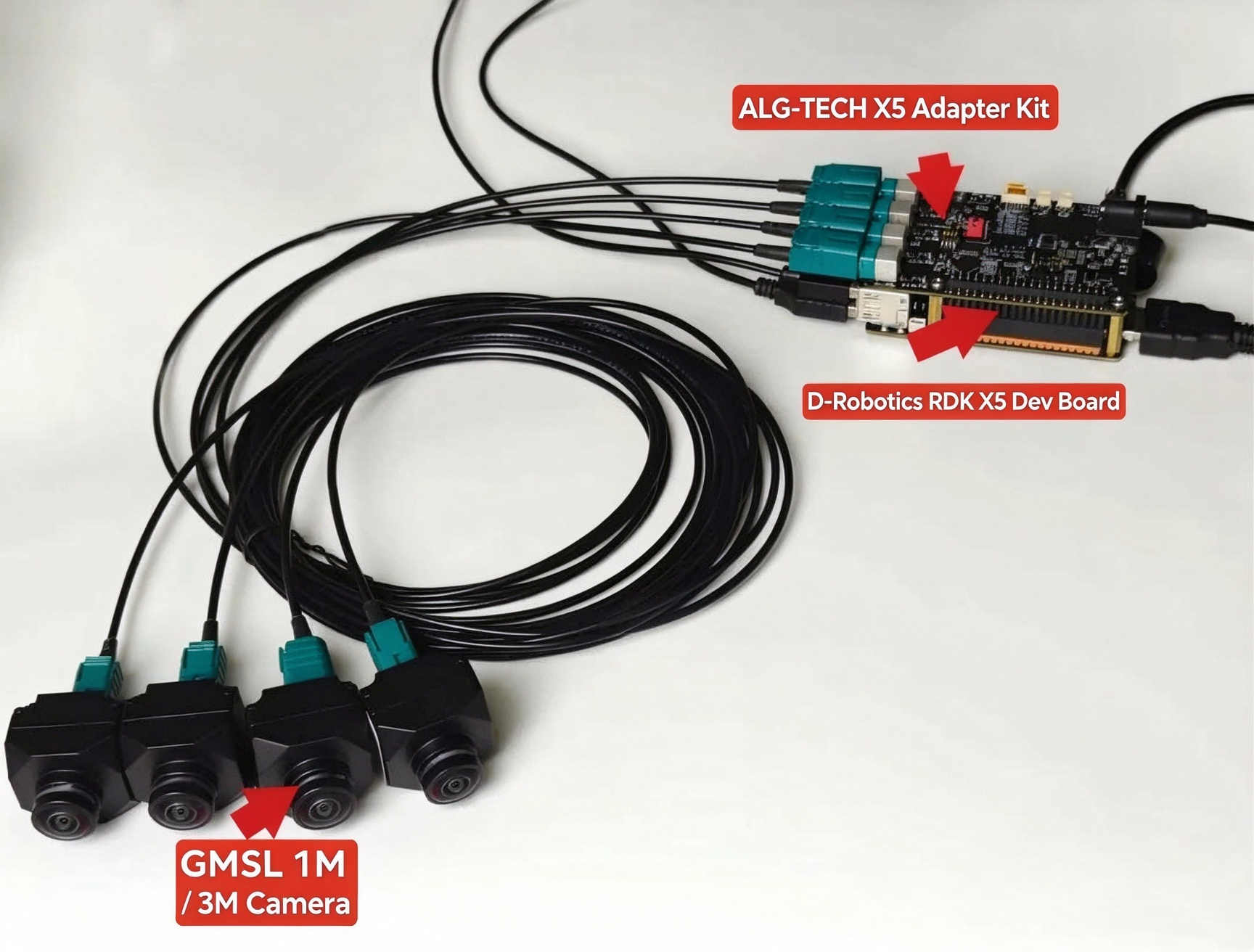
Prepare the camera module, FAKRA cable, and power supplies, then connect them as follows:
1. Connect one end of the FAKRA cable to the camera module and the other end to the ALG-TECH X5 adapter board.
2. Connect the power adapters to the adapter board and to the D-Robotics RDK X5 development board respectively, then power on the devices.
Deployment and Test Verification
Import the deb Packages
Deploy the compiled artifacts or the released deb packages to the development board. Using the packages provided in the repository as an example, upload the files to the corresponding directory on the board and install them (actual file names are subject to the repository release):
sudo dpkg -i hobot-camera_3.1.0-20260721160702_arm64.deb
sudo dpkg -i hobot-multimedia-samples_3.1.0-20260721162647_arm64.deb
A reboot is required after installation.
Deploy the Device Tree File (DTB)
The DTB file cannot be imported as a deb package and must be deployed manually. Simply copy the DTB file to the corresponding directory on the development board.
Load the Kernel Driver Module
If the kernel driver has not been packaged, the driver module still needs to be updated and can be imported manually. Copy the driver module file to the corresponding path on the development board.
Acquisition Testing
Single-Channel Acquisition (get_vin_data)
get_vin_data is a single-channel deserialization acquisition sample. The MAX9296 provides two ports; either port can be used, and the system automatically detects the connected port and brings it up.
Step 1 — Build the application
cd /app/multimedia_samples/sample_vin/get_vin_data/
sudo make
Check the currently supported configurations:
sudo ./get_vin_data


配置参数说明:
Configuration parameters:
· 51: master mode, connected to the cam1 connector (deser1)
· 52: master mode, connected to the cam2 connector (deser0)
· 63: slave mode, connected to the cam1 connector (deser1)
· 64: slave mode, connected to the cam2 connector (deser0)
Step 2 — Run acquisition
sudo ./get_vin_data -s 51 # 51 can be replaced by 52, 63, or 64
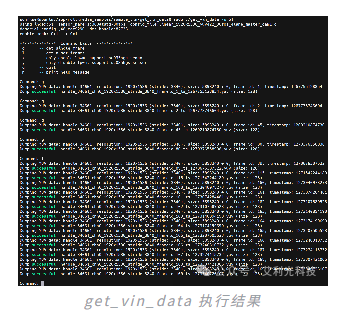
Interactive usage: press g to capture a single image, or l to capture multiple images.
Multi-Channel Acquisition (get_multi_vin_data)
get_multi_vin_data is a multi-channel deserialization acquisition sample.
Step 1 — Build the application
cd /app/multimedia_samples/sample_vin/get_multi_vin_data
sudo make
Check the currently supported configurations:
sudo ./get_vin_data
The configuration parameters are the same as above (51 / 52 / 63 / 64).


配置参数说明同上(51 / 52 / 63 / 64)。
Step 2 — Run acquisition
sudo -E ./get_multi_vin_data -c "sensor=51 link=0" -c "sensor=51 link=1"
# 51 can be replaced by 52, 63, or 64
Note: get_multi_vin_data is designed for a single SerDes device, so one run initializes only the cameras connected to the same deserializer. To enable both RDK X5 ports simultaneously, copy get_multi_vin_data to another path and start two separate processes.

With ALG-TECH's new GMSL camera adapter kit, developers can complete environment setup and end-to-end image acquisition verification on the RDK X5 platform with ease. Compared with earlier generations, the new kit is simpler to integrate and quicker to get started with, lowering the barrier to stereo and multi-camera vision.
If you encounter any issues during deployment or use, please contact ALG-TECH through our official channels for technical documentation and support.